 GoPrompter
Open any script.
Read it like a pro.
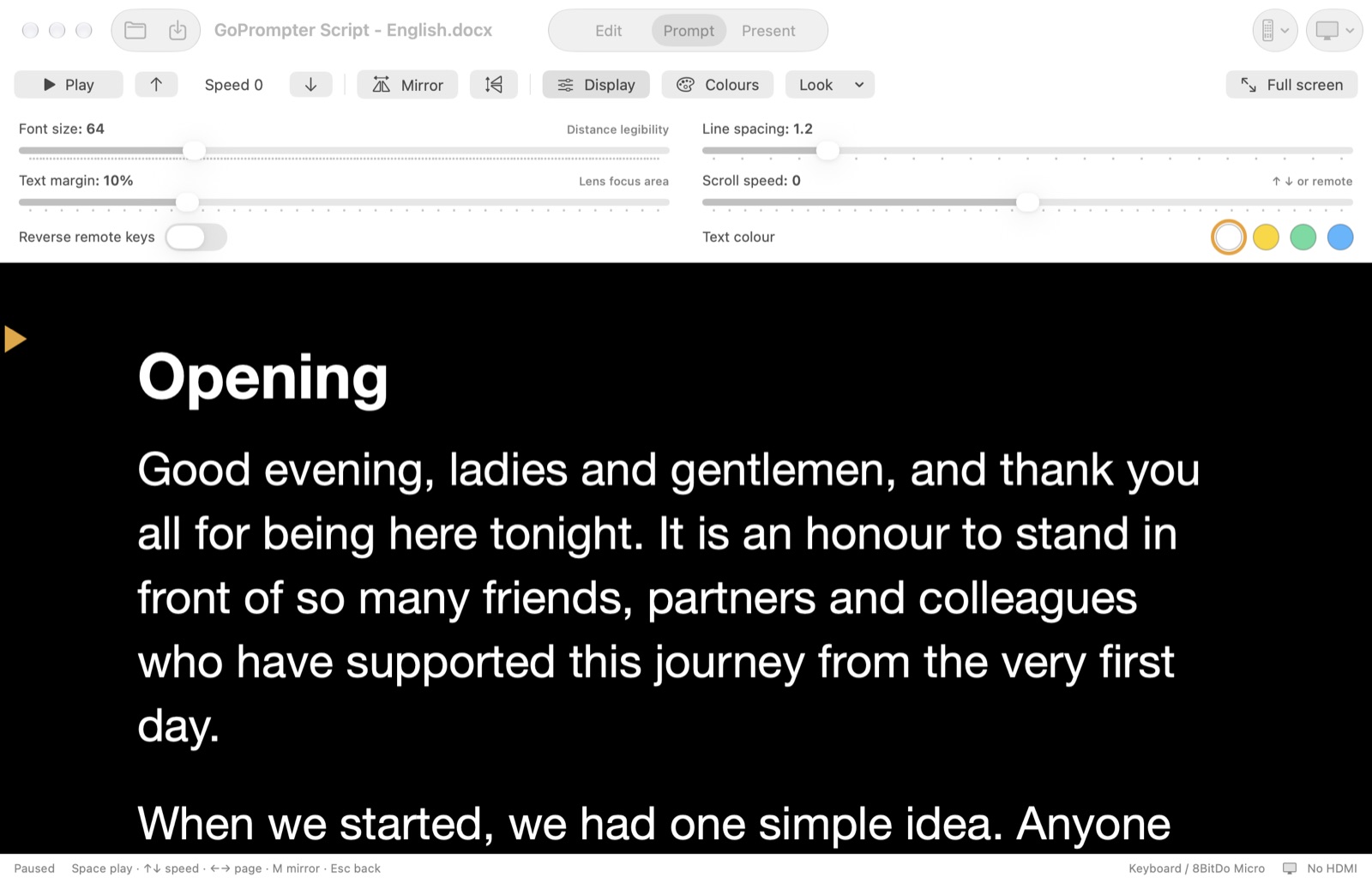
GoPrompter is a teleprompter for Mac. Open a Word file, PDF, PowerPoint or plain text, press Play, and read. The text scrolls smoothly, and your HDMI screen shows only the text.
⌨️ Works with your Mac keyboard right away: Space plays, ↓ ↑ change speed. You can add any Bluetooth remote too.
Three modes. One app.
Why GoPrompter is different
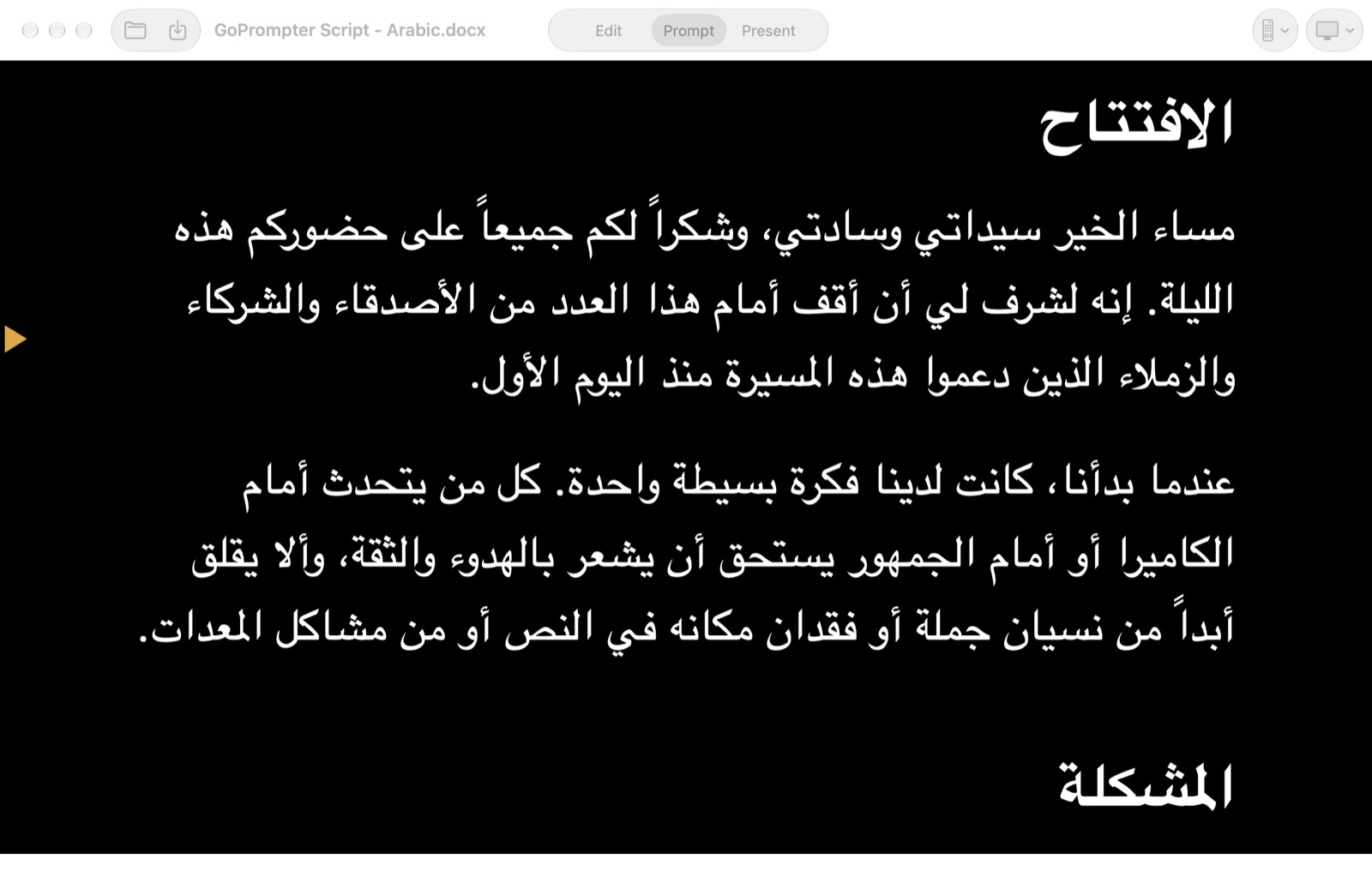
Every language in the world. Arabic, Urdu, Persian and Hebrew read right to left. Hindi, Chinese, Japanese, Korean, Thai, Tamil and more all display correctly. You can mix two languages in one script. Scanned PDFs are read in about 30 languages.
Your keyboard, or any remote in the world
It works with your Mac keyboard straight away. You don't need a special teleprompter remote. If you want one in your hand, use any remote from an electronics shop or Amazon:
- Logitech R500 / R500s presentation clicker
- 8BitDo Micro pocket game pad
- Bluetooth foot pedals and page turners
- Any Bluetooth keyboard or game controller
Assign any button to any action. Press a button, then choose Play, Faster, Slower, Page or Mirror. Done.
Smart colours
Pick any background and text colour from a colour wheel, or use a ready-made look. Headings are found automatically and can have their own colour. If you keep the original colours, dark text on a dark background flips so you can always read it.
Play it your way
The first press on your remote starts scrolling. Each press makes it faster or slower, and keep pressing to run backwards and repeat a line. Speed changes glide smoothly, so viewers never see a jump.
Prompt and present
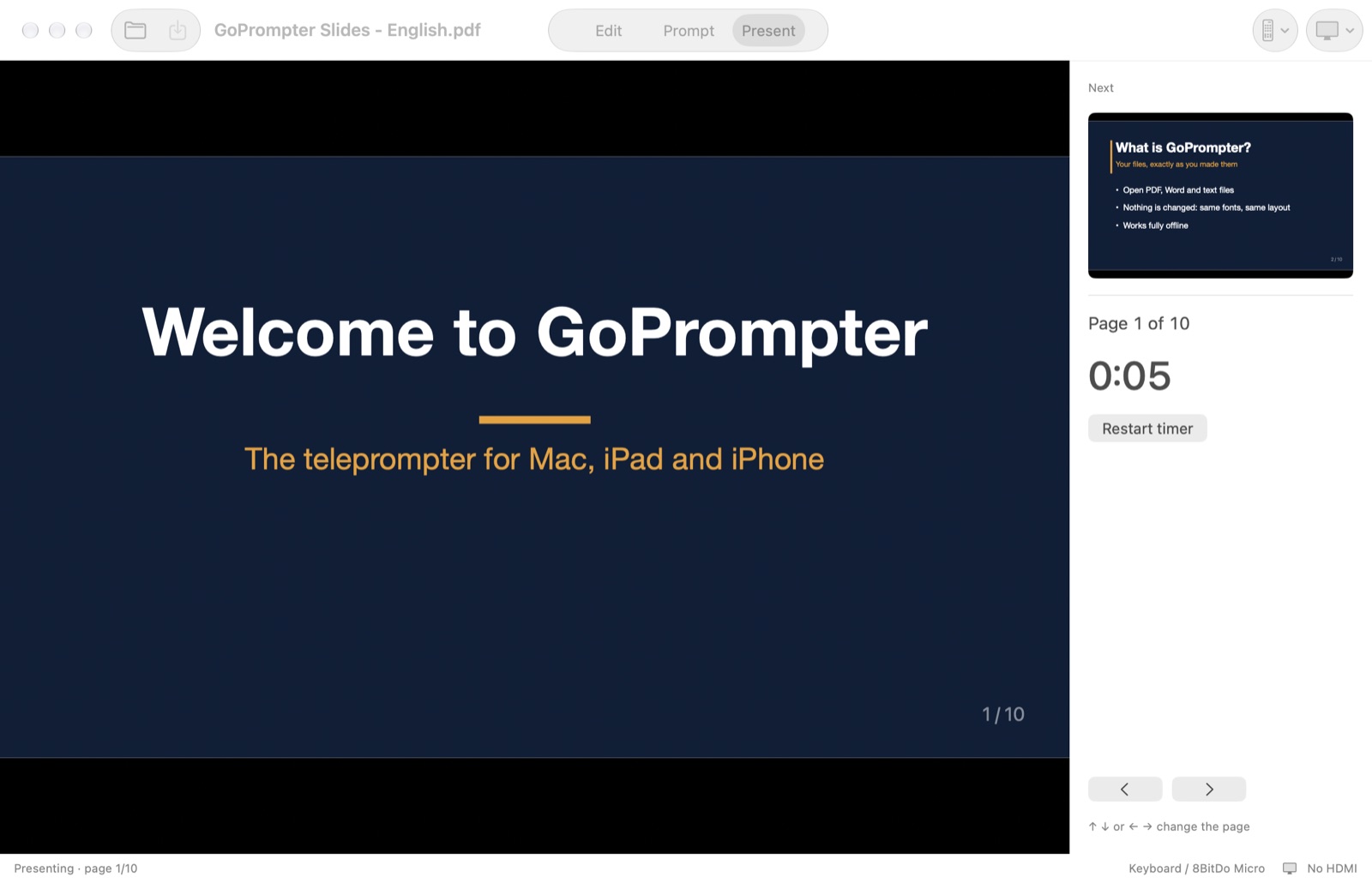
Edit your script, prompt it, or present your slides full screen with the next slide and a timer in front of you, all in one app. The HDMI screen only ever shows what your audience should see.
| GoPrompter | Typical prompter apps | |
|---|---|---|
| Opens Word, PDF and PowerPoint as they are | ✓ | Paste text only |
| Arabic and right-to-left, mixed with English | ✓ | Often broken |
| Works with remotes sold everywhere | ✓ Assign any button | Their own remote |
| Reverse scrolling with the same buttons | ✓ | Rare |
| Clean HDMI output, Extend or Mirror set by the app | ✓ | Manual |
| Presentation mode for slides and PDF | ✓ | ✗ |
| Guide in 16 languages | ✓ | English only |
| Price | USD 19.99 a year (under USD 2 a month) | Often USD 10–20 every month |
Everything a prompter needs. Nothing it doesn't.
Opens your files as they are
Word, PDF, PowerPoint speaker notes, RTF, Markdown, subtitles and more. PDFs are shown exactly as they are. Nothing is converted until you choose to.
Silky-smooth scrolling
Moves with every frame of your display, at 60 or 120 fps. Speed changes glide instead of jumping. Press ↑ enough times and the text runs backwards.
Arabic and English
Right-to-left and left-to-right in the same script, with correct letter joining. Reads every language your Mac can show.
Word-style editor
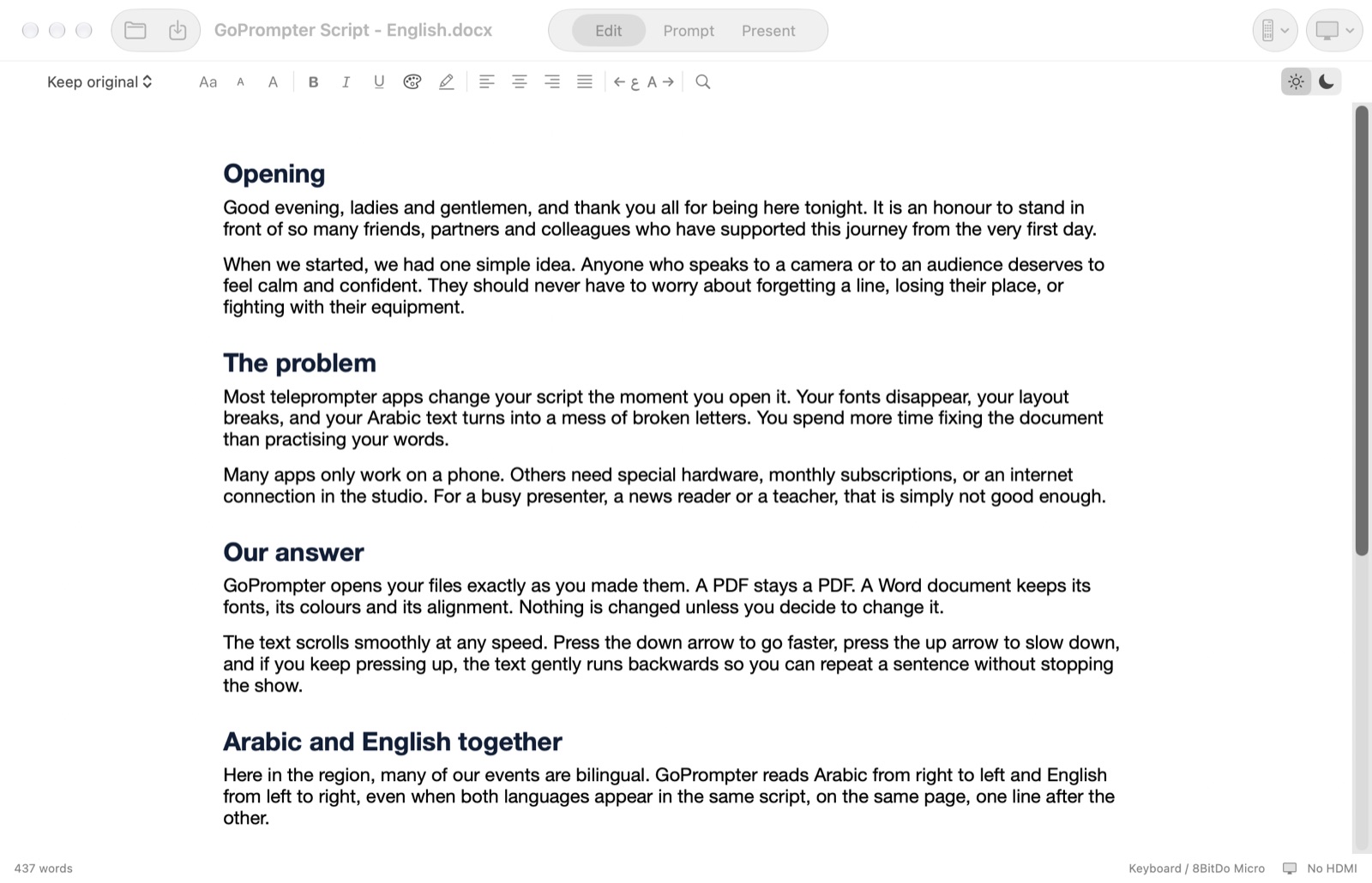
Fonts, bold, colours, alignment, line spacing, find and replace. Edit your script, then press Prompt.
Mirror for glass
One key flips the text for beam-splitter teleprompter glass. A reading arrow marks your line.
Clean HDMI output
Plug in a screen and it shows only the text, never the controls. GoPrompter switches between Extend and Mirror for you.
Present mode
Shows your slides or PDF one page at a time, full screen, with the next page and a timer on your laptop.
Your look
Font size up to 200 pt, line spacing, margins, any background and text colour, and a separate colour for headings.
Private and offline
No account, no cloud, no tracking. Your scripts never leave your Mac.
Your keyboard. Or the remote you already have.
Your Mac keyboard works straight away, with no setup. Presentation clickers such as the Logitech R500, game pads such as the 8BitDo Micro, foot pedals and Bluetooth keyboards all work. There's no driver to install. Press a button and GoPrompter learns it.
- Space Play or pause
- ↓ Faster
- ↑ Slower, then reverse
- ← → Previous or next page
- M Mirror
One simple price.
Mac — direct download
USD 19.99 / year
Try it free for 3 days, with every feature. Then subscribe here and get a licence key by email. Every update is included. Renews yearly, and you can cancel any time.
Coming soonMac App Store
USD 19.99 / year
Subscribe through Apple with your Apple Account, and manage or cancel in your Apple settings. iPad and iPhone versions are coming.
Coming soonNeeds macOS 14 Sonoma or later.
Questions
Does it change my Word or PDF file?
No. GoPrompter only reads your file. If you edit a script, you choose where to save it.
How does the price work?
USD 19.99 a year, with all updates included. It renews every year and you can cancel any time. When you cancel, GoPrompter keeps working until the end of the year you paid for.
Can I use it with teleprompter glass?
Yes. Press M to mirror the text. Plug the glass monitor into your Mac's HDMI port and it shows only the text.
Does it work offline?
Yes. It never needs the internet. The direct version checks your licence when you enter it, and then now and then when you are online. It keeps working offline for weeks between checks.
I bought it here. Can I also have the App Store version?
The two are sold separately, because Apple runs its own store. Write to us if you need help.